How to Move Office Equipment Safely
Office equipment fails in transit for three reasons: it moved with the drives spinning, it moved without packaging and nothing replaced it, or nobody photographed the cabling. Here is how each type of equipment should travel, the sequence that works, what goes wrong most often, and why valuation matters more for electronics than for anything else.
The short answer
Office equipment fails in transit for three reasons: it was moved with the drives spinning, it was moved without its original packaging and nothing replaced it, or nobody photographed the cabling and reassembly turned into guesswork.
Before anything is unplugged
- Back up
- And verify the restore
- Photograph
- Every port and cable run
- Label
- Cable and device to the same desk number
- Power down properly
- Full shutdown, not sleep
- Remove consumables
- Toner, ink, paper, media
The backup is the only irreplaceable step. A damaged monitor is an invoice. Unrecoverable data is a different category of problem, and it is the one nobody plans for because the move is assumed to go fine.
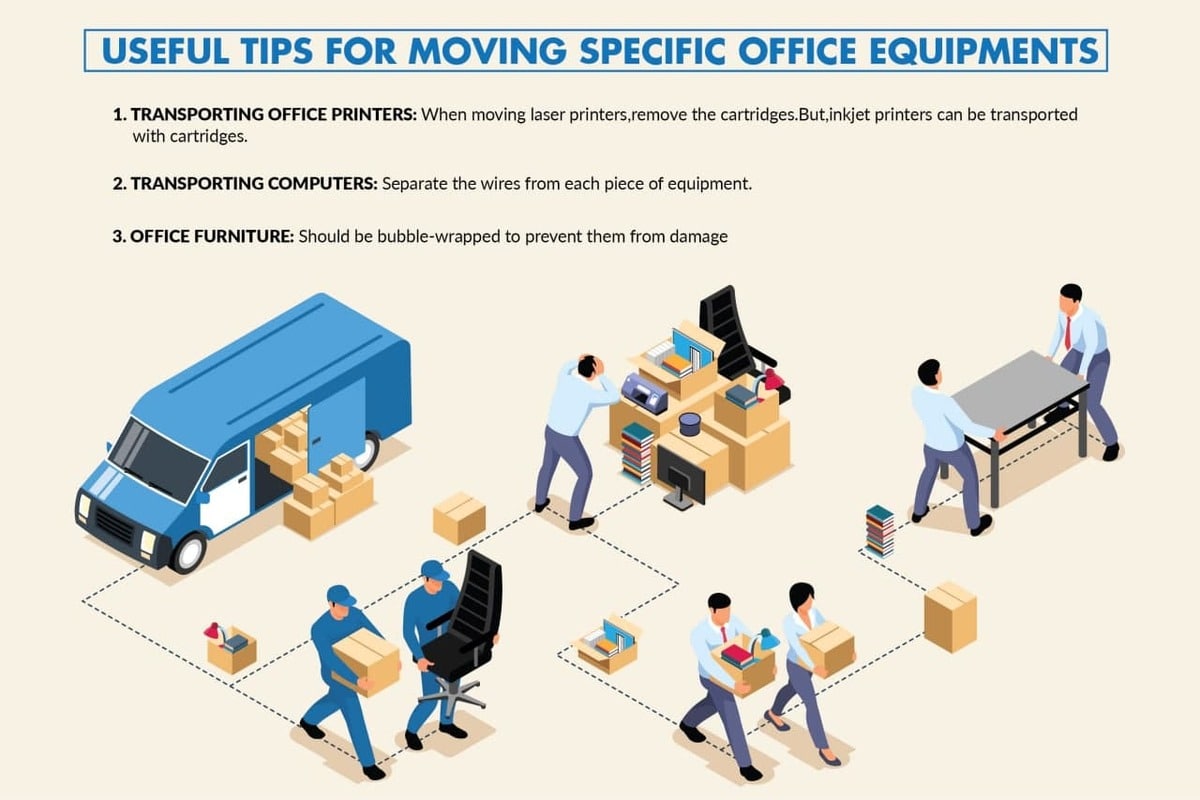
Equipment by type
| Item | How it travels | The specific risk |
|---|---|---|
| Desktop computers | Upright, boxed, padded on all sides | Internal components shifting; drives on impact |
| Monitors | Upright in a picture or monitor carton, screen faced by soft material | Panel cracks — never lay flat under weight |
| Laptops and tablets | Carried by a person, not on the truck | Theft and impact; also the fastest thing to lose track of |
| Servers and network gear | Racks emptied, units boxed individually, rails labeled | Rail damage and bent chassis; loss of rack mapping |
| Printers and copiers | Toner and ink removed, trays emptied, scanner heads locked if the model allows | Toner spill inside the unit — expensive and messy |
| Phones and VoIP hardware | Boxed by desk group | Handset cords and base units getting separated |
| AV and conference gear | Original cases where possible; mounts removed and bagged | Lens and mic damage; missing mounting hardware |
| UPS units | Upright, batteries left in unless the manual says otherwise | Weight — they are far heavier than they look |
The sequence that works
- Back up and verifyNot just run the backup — restore a sample file from it. An unverified backup is a hope, not a plan.
- Photograph every setupBack panels, cable runs, rack layouts, AV connections. This one habit saves hours at the other end.
- Number the plan, then number the equipmentDesk 14 on the floor plan is device 14 and cable bundle 14. The crew places by number without asking anyone.
- Shut down properly and disconnectFull shutdown. Coil each cable, band it, and label it to its device.
- Remove consumablesToner, ink cartridges, paper trays, CDs, USB sticks left in ports.
- Box and padOriginal cartons if you kept them; otherwise double-wall boxes with foam or paper on all six sides.
- Keep the small parts togetherScrews, mounts, rails, and adapters in a labeled bag taped to the device it belongs to.

The server room
This is the part of an office move where a small mistake becomes a long outage.
- Photograph the rack front and back before touching anything, and record which unit sits at which U position.
- Power down in a documented order, and plan to power up in the reverse of it.
- Move units individually rather than moving a loaded rack. A populated rack is both extremely heavy and structurally unhappy in transit.
- Keep rails and cage nuts with their unit, bagged and labeled.
- Have the IT person on site at both ends. Not on call — on site.
- Confirm the new room’s power, cooling, and network drops before the move, not on the day.
Plan the IT cutover backwards from the first working morning, and order internet at the new address as early as possible. It is the longest lead item in any office move, and everything else waits on it.
What goes wrong most often
- Monitors laid flat with boxes stacked on them.
- Toner left in printers, which then leaks through the unit.
- Cables unlabeled, turning a two-hour setup into a full day.
- Laptops on the truck, where they are the most stealable items in the load.
- A loaded rack moved in one piece, bending rails and damaging units.
- No photographs, so nobody remembers which cable went where.
- The backup that was never tested.

Liability, and what it does not cover
Electronics are the category where the gap between physical protection and financial responsibility is widest.
Physical protection describes how the crew wraps and loads. Valuation describes what the mover owes if something is lost or damaged, and on an interstate move you choose between Released Value at 60 cents per pound per article and Full Value Protection — both set out in the FMCSA liability and valuation guidance. For a 4 lb laptop, Released Value is $2.40.
For a move inside California the terms come from your move documents and the state rules published by the Bureau of Household Goods and Services. Two further points worth knowing: equipment you packed yourself is often treated differently on a claim from crew-packed equipment, and mechanical or electronic failure without external damage is commonly excluded. More in moving insurance and valuation.
How we handle it
Standard protection for printers, air conditioners, and electronics is part of the quoted scope, with additional care for screens and fragile surfaces. The lead foreman confirms how equipment is wrapped and loaded before the truck moves, and placement follows your numbered floor plan so devices land at the right desks.
Crews are California Movers USA employees rather than subcontracted labor, which matters more on an office move than a household one — the same team is accountable from load to placement.
See office moving for the full scope, appliance and equipment moving, and pricing.
Related reading: office moving checklist for the six-month timeline, transporting office equipment, and how to pack for a move.
Questions people ask
Can monitors be laid flat?
No. Panels crack under weight. They travel upright, boxed, with something soft against the screen.
Should I remove the toner from printers?
Yes, always. A cartridge that shifts in transit leaks through the mechanism and the repair costs more than the printer.
Do laptops go on the truck?
They should not. Laptops, tablets, and drives travel with people.
Can a loaded server rack be moved as one unit?
Not safely. Empty it, move the units individually, and keep rails with their unit.
What covers equipment if it is damaged?
The valuation option in your move documents, not the packaging. On an interstate move Released Value pays 60 cents per pound, which is negligible for electronics.
How far ahead should IT be planned?
Order internet at the new address as early as possible and build the cutover plan backwards from the first working morning.
Reviewed September 2026.
Tell us about the office — headcount, equipment, and building access — and we will come back with a starting quote.